Your tasks and what their statuses mean
Find a task, read its brief, and understand where it stands.
Choose My tasks in the menu. Tasks are sorted by urgency: overdue first, then what is due, then everything else.
Use the filters at the top to narrow the list: All, To do, In review, Re-do and Done.
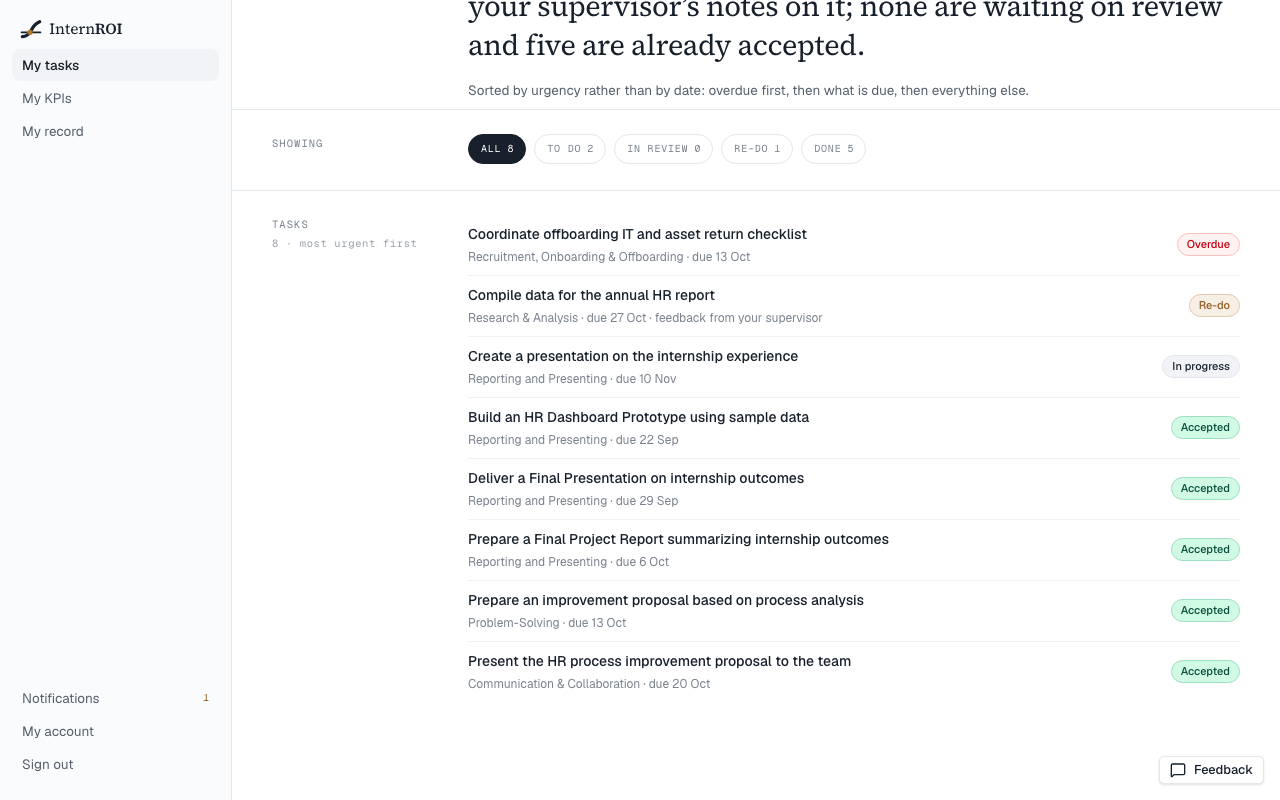
Statuses
- Not started — assigned to you, not begun.
- In progress — you have started it.
- Awaiting review — you submitted it and your supervisor has not decided yet.
- Re-do — your supervisor has asked for changes. See When you are asked to re-do a task.
- Accepted — done. Nothing more to do.
- Overdue — shown instead of Not started or In progress once the due date has passed.
Open a task
Choose a task to see its Instructions, the Expected deliverable, its due date, its weight, and who your supervisor is. History lists every attempt you have made and your supervisor’s feedback.
To begin, choose Start this task. Then submit your work when it is ready.