Share a report by link
Let someone read a report without an account, and withdraw the link when you are done.
- Open the report.
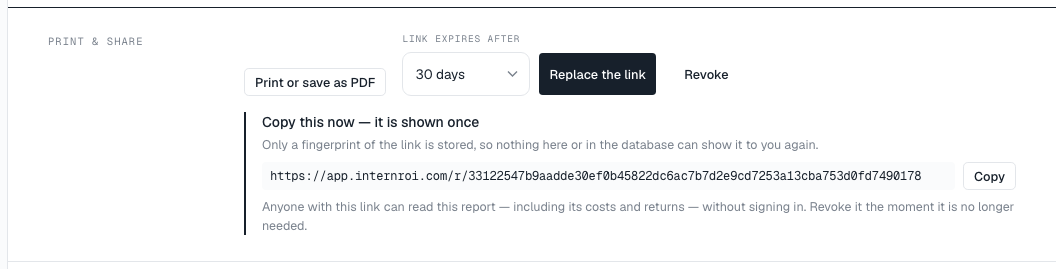
- Under Link expires after, choose 7 days, 30 days or 90 days.
- Choose Create a share link.
- Choose Copy and send the link.
Anyone with the link can read the report — including its costs and returns — without signing in. They see who sent it and when the link stops working, and can print it. A shared link leaves out the Appendix — inputs, because the inputs include pay rates; it stays in the report your team opens and prints.
Replace or revoke a link
- Replace the link creates a new link and retires the old one at once.
- Revoke stops the link working immediately.
Share history keeps every link you have created: whether it is active, expired, revoked or replaced, who shared it, and how many times it was opened.
What someone with a dead link sees
- This link has expired — ask them to request a new one.
- This link has been withdrawn — it was revoked or replaced.
- This link is not valid — usually an address cut short when it was copied.