Choose a plan and pay
The plans, how verification and the payment window work, and how to pay.
Only company admins can see Billing in the menu or buy a plan. For the plans and their prices, see Pricing.
Before you buy: verification
When you sign up, complete your company profile under Organisation. We review it, and once it is approved you have three days to arrange payment — the payment window.
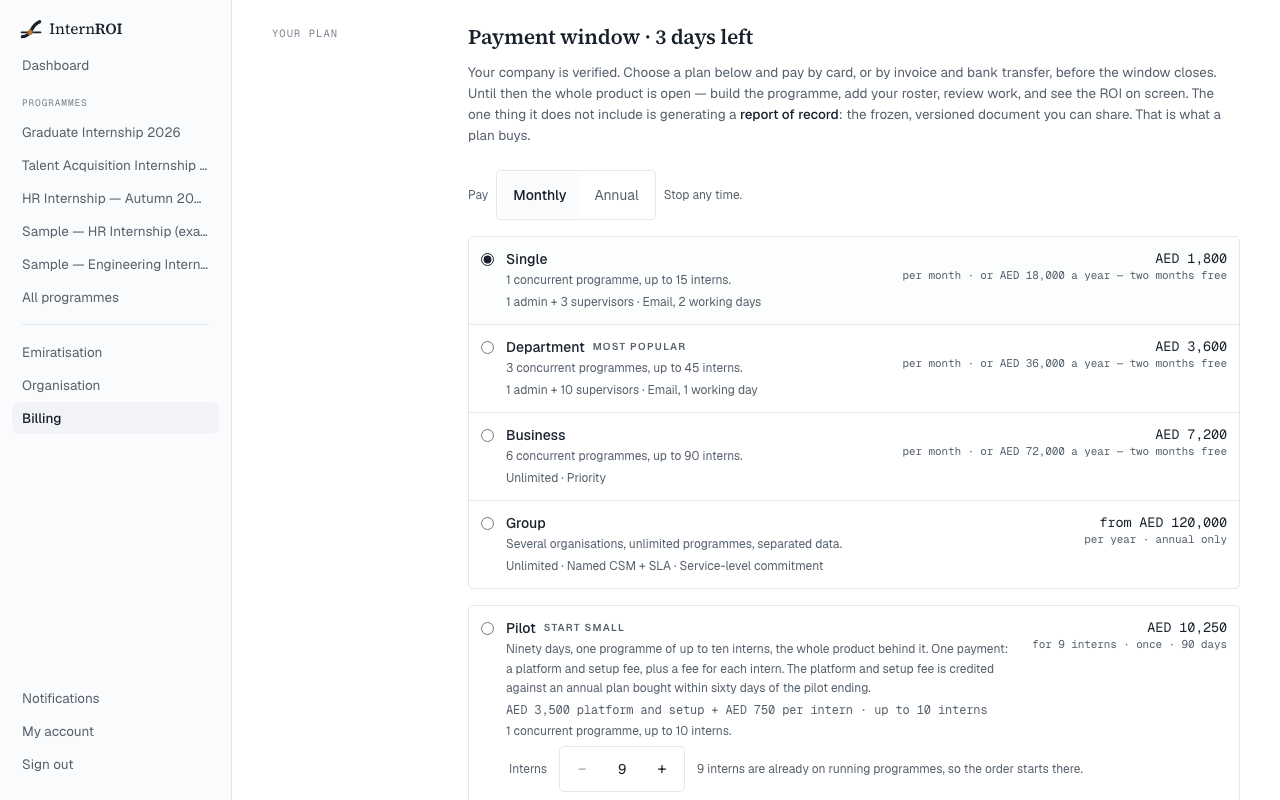
During the payment window the whole product is open: build a programme, add your roster, review work and see the ROI on screen. The one thing it does not include is generating a report of record — the frozen, versioned document you can share. That is what a plan buys. Launching a new programme also needs an active plan.
If you see Your company is not verified yet., choose Complete company profile.
The plans
- Single, Department and Business — tiers for more programmes and interns. Each can be paid Monthly or Annual.
- Group — several organisations under one owner. Annual only, priced on request.
- Pilot — a one-time start: ninety days, one programme of up to ten interns. One payment: a platform and setup fee plus a fee for each intern.
A monthly plan renews each month until you stop it. An annual plan and the Pilot are paid once and never renew — when they end, we ask; we do not charge.
Pay
- Go to Billing.
- Under Pay, choose Monthly or Annual, then choose a plan — or the Pilot under Or start with a pilot.
- Choose how to pay:
- Request an invoice (annual plans and the Pilot) — your invoice appears on the billing screen with the bank details. Your plan starts the moment we record the transfer.
- Pay by card or Start monthly by card, if card payment is shown — you finish on a secure Stripe page.
A monthly plan can only be paid by card. If card payment is not available, choose Annual or the Pilot and pay by invoice.
Discount codes
Choose Have a code?, enter it under Discount code and choose Apply. The order then says what the code takes off.
- Only one discount applies to an order — the larger one, if you also have an offer from us or a pilot credit.
- Monthly plans take no discount. Choose Annual to use a code.
- If you see That code is not valid for this plan today, check it, or order without it.
After a Pilot
If you choose an annual plan within sixty days of your Pilot ending, its platform and setup fee comes off the price automatically. There is nothing to claim.