Build the task plan
Choose the work interns will do, from the library or your own tasks.
The task plan is the work every intern on the programme will be given. Open the programme and choose Configure tasks on the checklist, or Tasks in its menu.
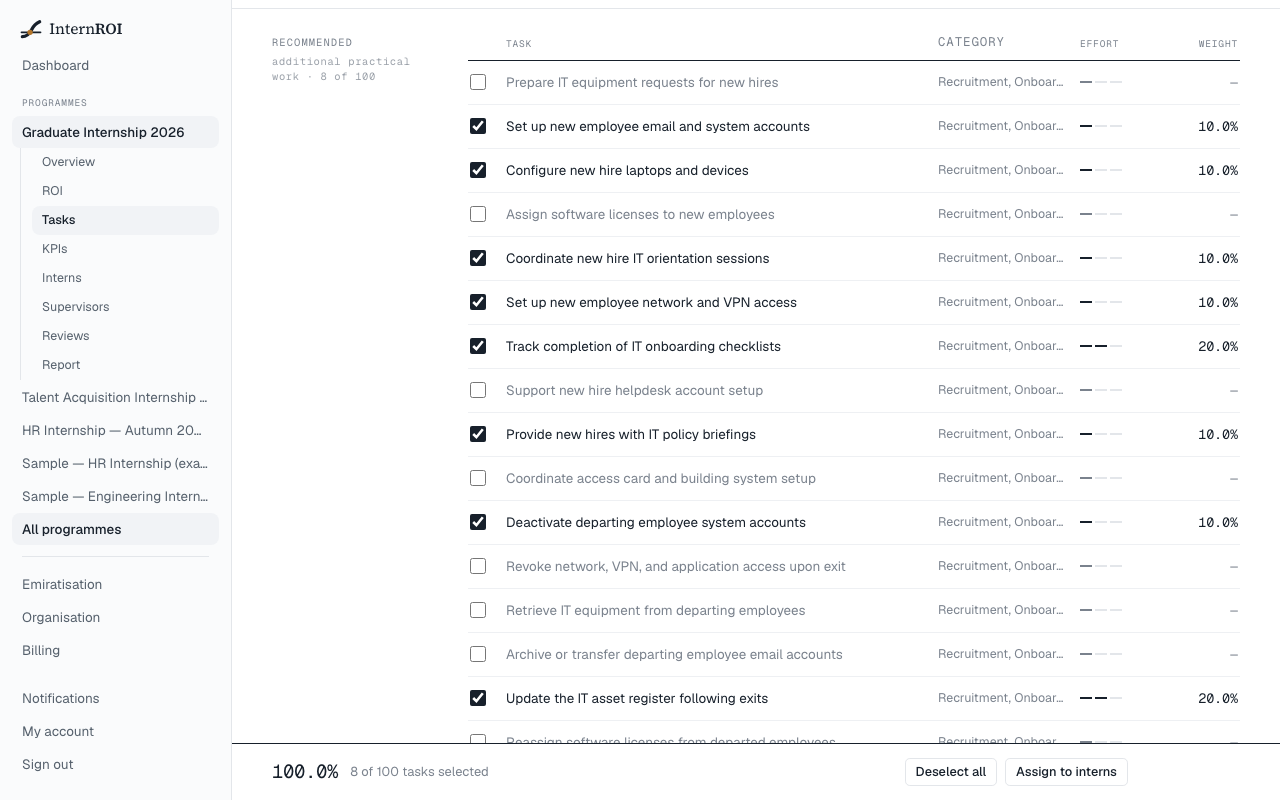
Choose tasks from the library
If a task library is available for your department, it is listed by tier — Core, Recommended and Deliverables. Use Category, Library and Search to narrow it down.
- Tick the tasks you want, or choose Select all on a tier.
- Choose Save plan.
Add your own tasks
- Choose Add custom task.
- Enter a Task name, and choose a Category and an Effort — Routine, Moderate deliverable or Major deliverable. Add a Description if you like.
- Choose Add task. It is saved straight away.
A plan can launch on custom tasks alone.
Weights
You don’t need to set task weights. They balance themselves from each task’s effort and always total 100% — adding a task re-weights the rest. The total is shown at the bottom of the screen.
Require a file or link
Under Evidence, each saved task has a switch. Turn it on for a task whose submissions must carry a file or a link — a report, a spreadsheet, a shared document. It saves as you switch it. With it on, an intern cannot submit that task without attaching one, on the web or in the iPhone app; with it off, a written summary is enough. Every task starts off.
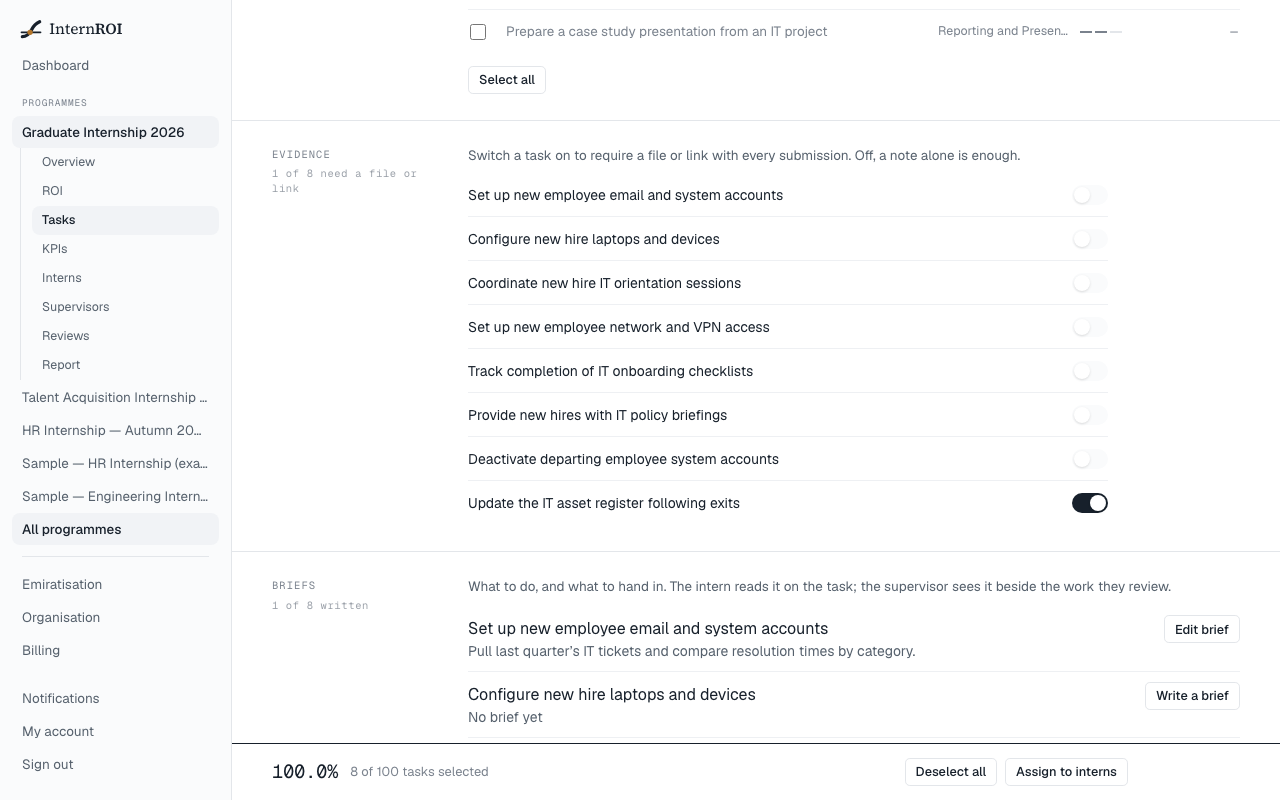
Write a brief
Under Briefs, each saved task has Write a brief (or Edit brief). Fill in Instructions — what to do — and Expected deliverable — what to hand in — and choose Save brief. The intern reads the brief on the task, and the supervisor sees it beside the work they review. Most library tasks come without one, so this is where you say what your company expects.
After launch
The task plan is fixed when the programme launches, and the Tasks screen then reports progress on each task instead: how many interns have it accepted, in review, sent back for re-do, or overdue.
Interns added after launch get every task automatically. If anyone is missing tasks, choose Assign to interns — it only adds what is missing and changes nobody else’s work.