Add interns to a programme
Put interns on a programme’s roster one at a time or from a spreadsheet.
Adding an intern puts them on the programme’s roster. It does not invite them — you choose when each person hears from you, so there is no hurry between the two. Only company admins can add people.
Open the roster
- Open the programme and choose Interns in its menu.
- Choose Add intern. You will see the Add an intern band, with two tabs: Add manually and Bulk upload.
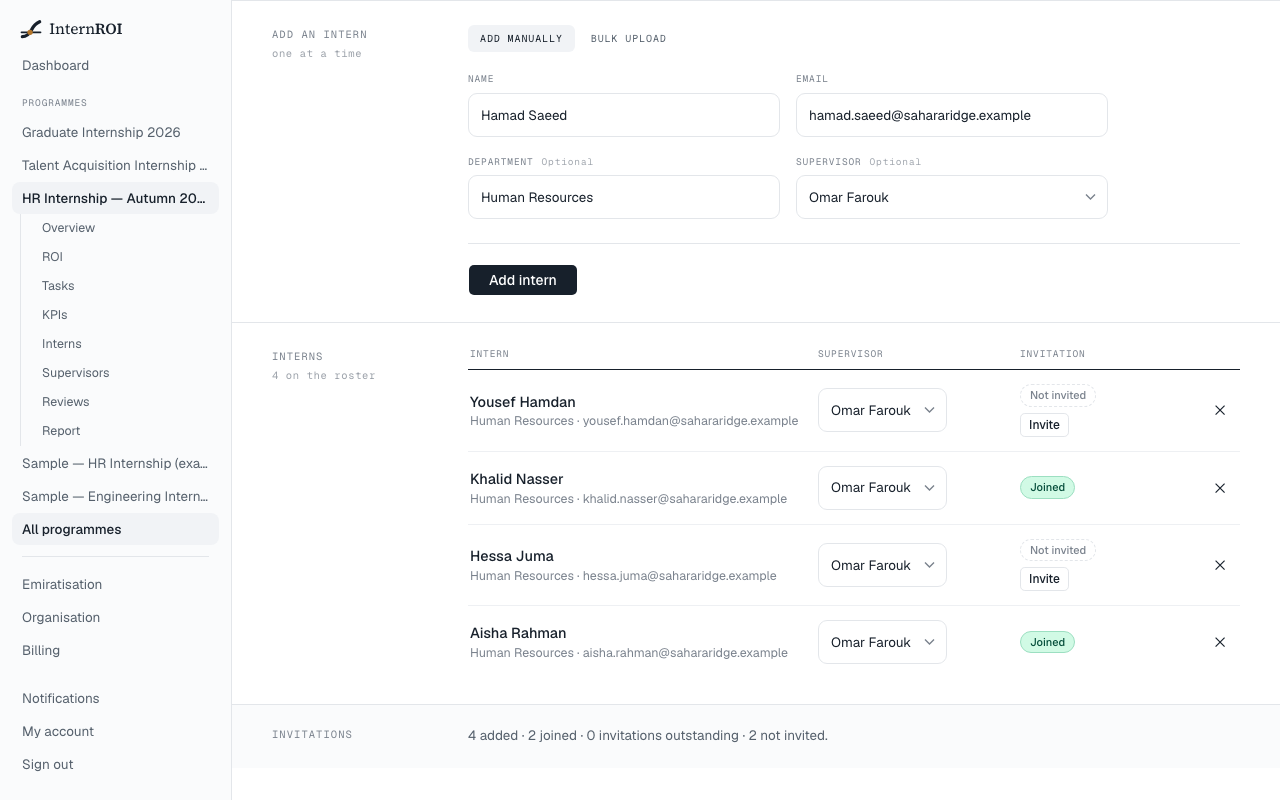
Add one intern
- Fill in Name and Email.
- Department is optional — leave it empty to use the programme’s.
- Supervisor is optional too. Pick one now, or leave Assign later.
- Choose Add intern. You will see their name followed by “added” — for example, “Ahmed Hassan added”.
If you add an intern to a programme that is already running, they are given all of the programme’s tasks straight away.
Add many interns from a file
- Choose the Bulk upload tab.
- Choose Upload a .csv, or paste rows into the box below it.
- Choose Import interns.
Put one intern on each line: name, email, and optionally department, separated by commas. A header row is optional. For example:
- Ahmed Hassan,ahmed@uni.ac.ae,HR
- Fatima Ali,fatima@uni.ac.ae,HR
Rows with a problem are skipped and listed by line number — the rest still import. Fix those lines and import them again. Supervisors cannot be added from a file; add them on the Supervisors screen.
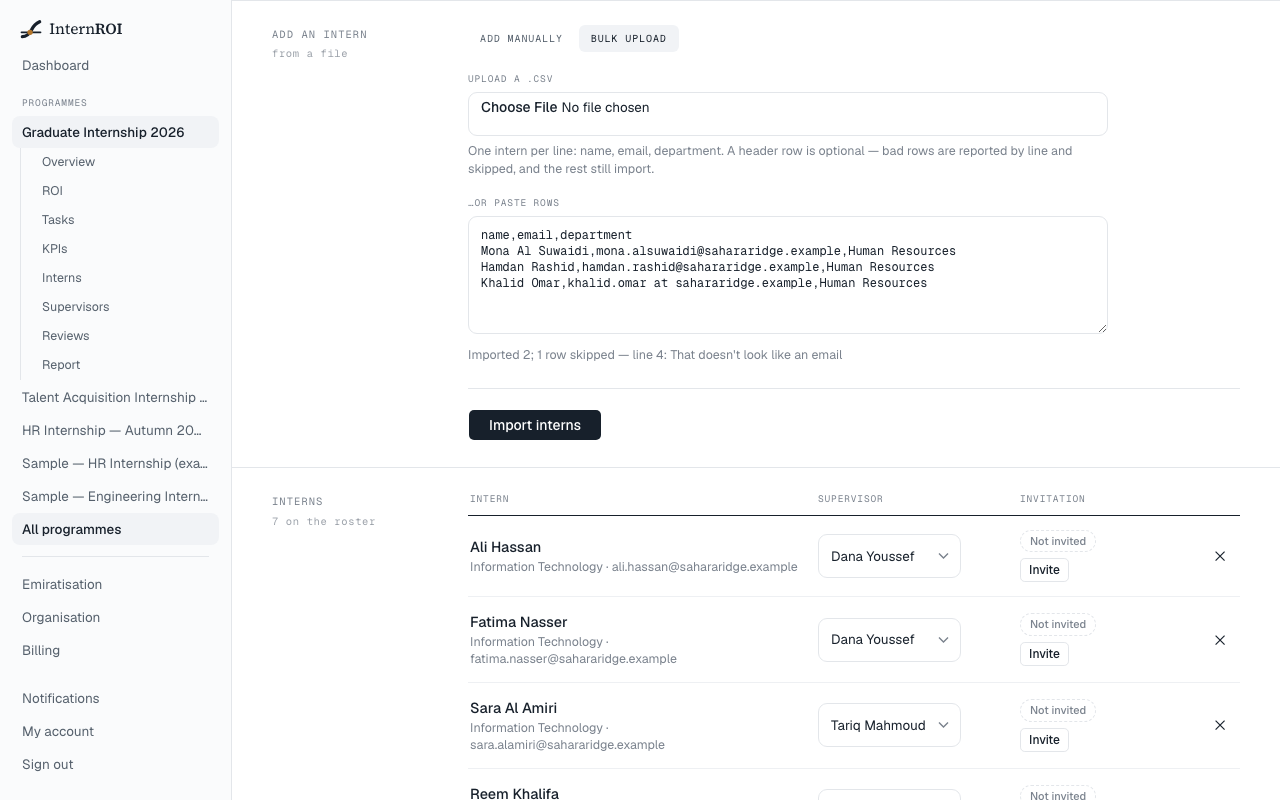
What the roster tells you
The Interns table shows each person’s supervisor and an Invitation status: Not invited, Invitation sent, Link ready — not emailed, Invitation expired or Joined. The band at the bottom counts how many are added, joined, invited and not yet invited, and how many still have no supervisor.
Messages you might see
- That doesn't look like an email — check the address for typos.
- …is already on this program's roster — that address is already on this programme.
- Your plan covers … intern(s) and … are already on running programmes — your plan is priced per intern and is full. See Change your plan.
- This programme has finished — its roster can no longer be changed. — a completed or archived programme’s roster is closed.
Next: invite the people you added.